


Brother Artspira
4.2322.00 Reviews
App Specs
- Version
- 2.8.20
- Updated On
- License
- Free
- Downloads
- 500,000+
- Developer
- Brother Industries, Ltd.
- Categories
- Art & Design
- Platform
- Android
Screenshots

 Analysis by AppCompare
I treat Brother Artspira less like a general drawing app and more like a creative workspace for people who want to turn a phone-sized idea into a craft project. That distinction matters: it is an art and design app from Brother Industries, Ltd., and its strongest appeal is for makers who already use, or are considering, a compatible Brother sewing or embroidery machine. If you mainly want a freehand sketchbook with no connection to making things, a conventional drawing app will probably feel more direct.
The app is free to install, rated for Everyone, and has an average rating of 4.1 from around 3,200 ratings, with over 100,000 installs. It first appeared on September 22, 2022, and version 2.7.6 is listed for devices running Android 8.0 or later. Optional in-app purchases range from $0.79 to $119.99 per item, so I’d check what a particular paid item includes before treating the free app as an all-inclusive craft library.
A practical first project, from idea to machine
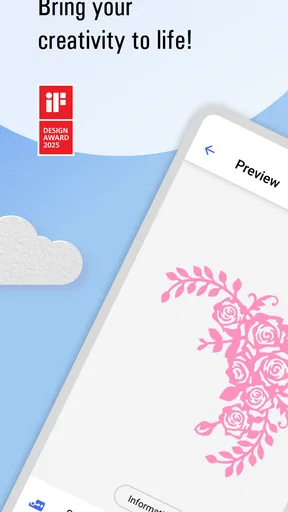
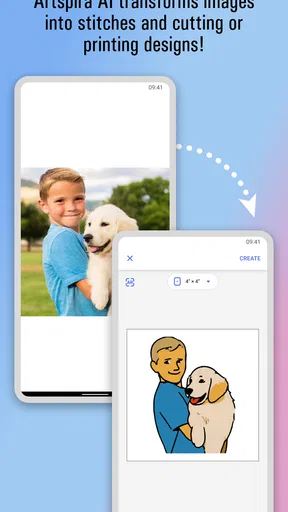
My preferred way to approach a project is to begin with the end in mind: am I making a small embroidered gift, decorating a garment, or just trying out a visual idea? That question helps me choose a design with a sensible level of detail before I spend time adjusting it. Artspira brings design browsing and creation together, then offers a route to a compatible Brother machine, so the phone can serve as both a place to plan and a way to move work toward production.
For a first attempt, I’d pick a simple motif, make only the edits that serve the project, and check the result before sending it onward. That restrained approach is more useful than changing every available color or combining several designs just because the controls allow it. On a small stitched piece, a clear shape often reads better than a crowded composition. The app is at its best when it helps me make those decisions without turning a straightforward craft session into a long editing exercise.
What to check before committing to a design
Customization is useful, but I’d treat the phone preview as a planning aid rather than a promise that the finished physical result will look identical. Fabric, thread, scale, and the capabilities of the machine all affect the outcome. Before committing to a detailed motif, I’d consider whether its fine lines and color changes make sense for the material and the project. If I’m unsure, I’d test the idea on a small or less important piece first instead of discovering a mismatch on a favorite garment.
The color controls are helpful for exploring a palette and judging how shades work together on screen. I use them to narrow choices, not to assume that a phone display can reproduce the exact look of thread under different lighting. A practical habit is to save the palette decision for after I know the project’s fabric and purpose. A soft decorative design and a high-contrast label have different needs, even if both begin with the same motif.
Repeatable habits make creative sessions easier
When I find a design direction that works, I try to make the next session easier by keeping a simple record outside the creative moment: the intended fabric, the colors I liked, and what I would change next time. That does not require a hidden feature or a complicated production system; it is just a dependable way to avoid relying on memory. For a series of matching gifts, for instance, deciding the palette and general layout before starting each item can help the results feel coordinated without making every piece identical.
Worth Reading Before You Choose

EA SPORTS FC Mobile 26 Is a Bigger Football Game, but It Takes Time

Flipboard Shows What News Apps Must Do Beyond the Feed

Switching to Android Auto Means Rethinking Your Driving Routine

Google Calendar Makes a Crowded Week Easier to Manage

Ludo King Makes the Most of the Minutes Between Plans

Baby Panda World Brings Quick Play to Modern Phones, but Its Game Library Feels Busy
I also find it useful to separate browsing from editing. I’ll look through available designs for inspiration first, then choose one project to work on rather than hopping between ideas. That small boundary helps keep a craft session focused, especially when a library offers more possibilities than I can realistically use that day. If I’m creating from scratch, I start with a simple outline and add detail only when it improves the final object.
Who will get the most out of it?
Artspira makes the most sense for Brother owners who want a connected path from browsing or making a design to working with a compatible machine. It can also suit a curious beginner who wants a guided place to explore craft ideas before investing much effort in a larger project. Someone making personalized decorations, small gifts, or occasional stitched details may appreciate having design work and machine connection in one general workflow.
I would be more cautious if I wanted a broad illustration suite, advanced drawing controls, or a tool that works equally well across a mix of machine brands. In those cases, a dedicated art app or the software made for the equipment I already own may be a better fit. Artspira’s particular value is tied to the Brother crafting ecosystem; that focus is helpful for the right person and a real limitation for everyone else.
Making Artspira Work for Your Craft Routine
Hey there, fellow digital creators! Today, I’m diving into the colorful world of Brother Artspira. If you’re into crafting, embroidery, or just love to bring your creative ideas to life, then you’re in for a treat. So, buckle up and let’s explore what this app has to offer.
Getting Started with Brother Artspira
First things first, let’s talk about getting started. Downloading Brother Artspira is a breeze, available for both Android and iOS. Once you’ve got the app up and running, you’re greeted by a sleek and user-friendly interface. It’s like stepping into a virtual artist’s studio, minus the clutter!
Setting up your profile is straightforward. You can link it to your Brother sewing machine or embroidery machine if you have one. This integration is super handy because it allows you to send designs directly to your machine. Neat, right?
Features That Spark Creativity
In practice, the design library works best as a starting point, not as a substitute for deciding what suits your own project. I’d browse with a purpose: a small motif for a pouch calls for a different level of detail than a larger decorative piece. Looking at other makers’ creations can help me think about placement and style, but I still check whether a design fits the material and machine I plan to use. That extra pause can save time later.
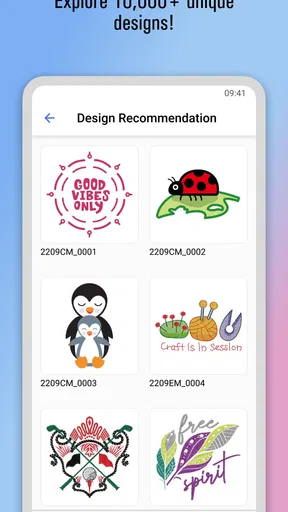
Brother Artspira is packed with features that cater to both beginners and seasoned creators. One of the standout features is the extensive design library. Whether you’re looking for a cute animal design, intricate floral patterns, or abstract art, you’ll find something to spark your imagination.
But wait, there’s more! The app also lets you create your own designs from scratch. The drawing tools are intuitive and responsive, making it easy to sketch out ideas. Even if you’re not a pro artist, the app’s tools help you bring your vision to life.
Design Customization and Editing
One trade-off I keep in mind is the difference between making a design look attractive on a screen and making it practical to produce. Combining elements can create a distinctive arrangement, but every added component also gives me more choices to review: balance, color, size, and how the parts will read together. For a quick project, I’d rather adjust one strong element than build a busy layout that takes longer to prepare and may be harder to appreciate on the finished item.
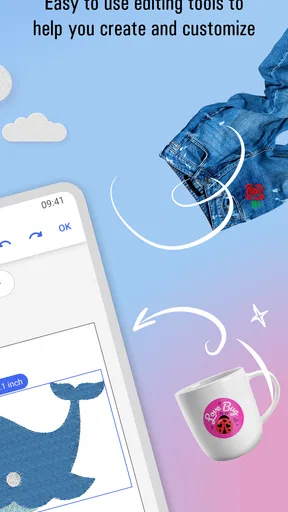
Once you’ve chosen or created a design, customization is where the magic happens. You can tweak colors, resize elements, and even combine different designs. The editing tools are robust but not overwhelming, striking a perfect balance between functionality and ease of use.
One feature I particularly love is the color palette customization. You can experiment with different shades and hues, and the app does a great job of showing you how your design will look in real life. It’s like having a virtual swatch book at your fingertips.
Community and Inspiration
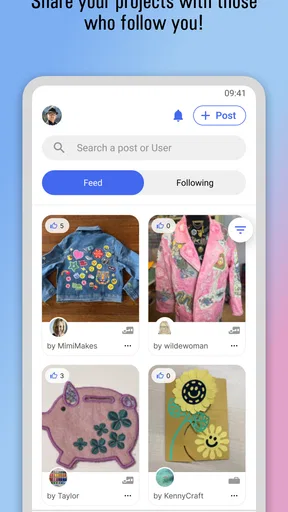
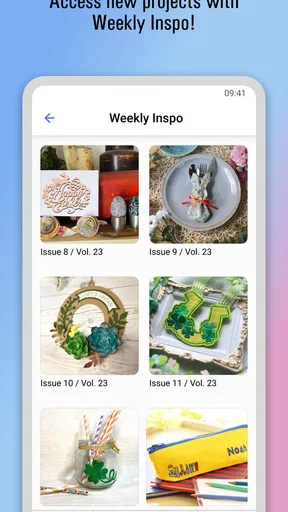
For me, community browsing is most useful when I treat it as a source of ideas rather than a checklist of trends to copy. A project shared by another user might suggest a color combination or a way to use a motif, while my own fabric and intended recipient should make the final call. This is especially handy when I have a blank afternoon and know I want to make something but have not settled on a subject. I can look for a direction, then return to the practical question of what I can actually finish.
The app regularly updates with new design packs and tutorials. This keeps the content fresh and exciting, and ensures you’re never short of inspiration. Whether you’re looking for seasonal designs or trending patterns, the app has you covered.
Connecting with Your Machine
Before relying on a wireless handoff for a project, I’d make sure the machine I own is compatible and that the connection is working while I still have time to troubleshoot. The convenience is real when it works: a phone-based design session can lead straight into machine work without the usual cable or transfer step. But the connection is not a reason to skip planning. I still want to know what I’m making, where it will go, and whether the selected design is appropriate before I send it.
If you have a compatible Brother machine, the wireless connectivity feature is a game changer. Imagine designing something on your phone and sending it directly to your machine without any cables or transfers. It’s seamless and super convenient, letting you focus more on creating and less on technical hassles.
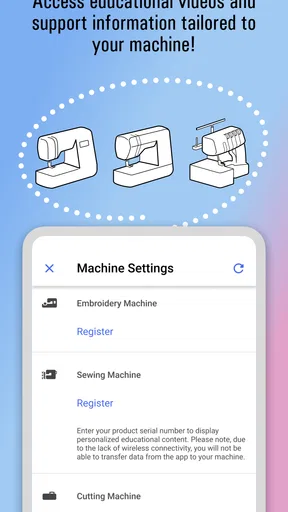
The app’s compatibility with Brother machines also means you can easily access machine settings and updates. It’s like having a direct line to your machine, ensuring everything runs smoothly.
Final Thoughts
For an everyday example, imagine I want to personalize a plain fabric item as a last-minute gift. I’d browse for a suitable motif, check that its detail and colors fit the item, and make only the edits needed to make it feel personal. If I have a compatible Brother machine, I can then use the app-to-machine connection as part of the workflow. If I don’t, the app may still offer ideas and design exploration, but its practical advantage is smaller than it is for someone already set up to make the design.
That is also where Artspira differs from the usual alternatives. A general drawing app is usually the better choice for open-ended illustration and flexible visual experimentation, while machine-specific software is often the more natural place to work when another brand of equipment is central to your craft. Artspira occupies a more focused middle ground: it links creative browsing and design work with Brother machines. I see that focus as its clearest strength, but it also means it is not the universal craft tool I’d choose for every setup.
So, is Brother Artspira worth checking out? Absolutely! It’s a versatile tool that caters to a wide range of creative needs. Whether you’re a hobbyist looking to explore embroidery or a seasoned creator in search of new ideas, this app has something to offer.
It’s intuitive, packed with features, and constantly evolving with new content. Plus, the integration with Brother machines makes it incredibly practical for anyone already invested in the Brother ecosystem. So go ahead, unleash your creativity, and let Brother Artspira be your artistic companion.
My honest recommendation is to start with one modest project and judge the app by how well it fits your real making routine. Check machine compatibility before building a workflow around direct transfers, and look closely at any optional purchase before spending; the free download does not mean every design-related item is included at no cost. If you enjoy exploring motifs, adjusting them, and then making them with compatible Brother equipment, this is a practical place to build a repeatable habit. If your priority is unrestricted digital painting or equipment-neutral production, I’d choose a broader tool instead.
Pros
- User-friendly interface for all skill levels.
- Wide variety of creative templates available.
- Seamless integration with Brother devices.
- Regular updates with new features.
- Community sharing for design inspiration.
Cons
- Limited offline functionality.
- Some features require a premium subscription.
- Occasional bugs in the latest version.
- Customer support response times vary.
- Requires stable internet for best use.
FAQs for Brother Artspira
What is Brother Artspira and what can I do with it?
Brother Artspira is a versatile app designed for creative enthusiasts who enjoy crafting and designing. It offers tools for creating embroidery patterns, crafting projects, and more. Users can explore a wide range of templates and customize them according to their preferences. The app also allows seamless integration with compatible Brother machines for a smooth crafting experience.
Is Brother Artspira compatible with all Brother machines?
Brother Artspira is designed to work with specific Brother machines, primarily those that support wireless connectivity. Before downloading, it's crucial to check if your Brother machine model is listed among the compatible devices. This ensures that you can fully utilize the app’s features and transfer designs directly to your machine.
Does Brother Artspira require an internet connection to function?
While Brother Artspira offers offline features, such as accessing saved designs, a stable internet connection is necessary for downloading new templates, accessing cloud services, and receiving software updates. An internet connection enhances the app's functionality by allowing seamless updates and expanded design options.
Are there any in-app purchases or subscription fees in Brother Artspira?
Brother Artspira may offer in-app purchases for additional design packs and premium features. While the app itself might be free to download, users might encounter optional purchases to enhance their crafting experience. It’s advisable to review the pricing details within the app to make informed decisions about any potential costs.
Can I share my projects created in Brother Artspira with others?
Yes, Brother Artspira allows you to share your projects with others. You can export your designs and share them through various means such as email or social media platforms. This feature is particularly useful for collaborative projects or simply showcasing your creative work to a broader audience.


